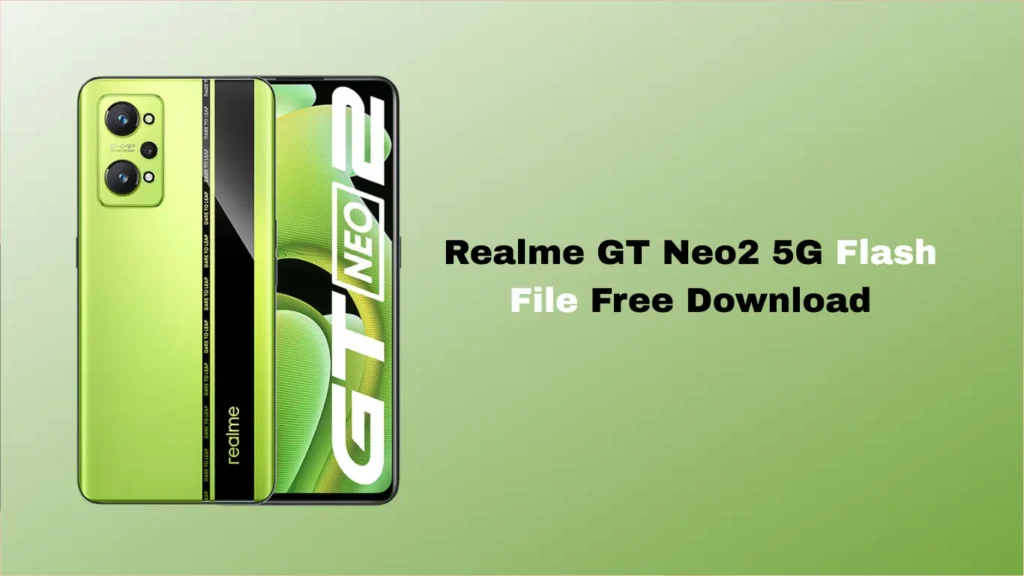
Is your Realme GT Neo2 5G stuck on the boot logo? Are you experiencing frequent lags, software bugs, or did you accidentally brick your device while trying to root it? Don’t worry; you aren’t alone.
The most effective way to breathe new life into your smartphone is by reinstalling the official stock firmware. In this guide, we provide the Realme GT Neo2 5G flash file for free download, along with a step-by-step explanation of how to use it.
Why Do You Need the Realme GT Neo2 5G Flash File?
A “Flash File” (also known as Stock ROM or Firmware) is the official operating system provided by the manufacturer. Flashing this file can solve various issues, including:
- Unbricking: Fixing a device that won’t turn on or is stuck in a boot loop.
- Removing Screen Locks: Bypassing forgotten passwords, patterns, or PIN locks.
- Software Updates/Downgrades: Moving to a more stable version of Android/Realme UI.
- Fixing Lags: Cleaning out system-level bugs that a factory reset can’t touch.
Device Specifications: Realme GT Neo2 5G
Before downloading, ensure your model matches:
- Model Name: Realme GT Neo2 5G (RMX3370)
- Processor: Qualcomm Snapdragon 870 5G
- Operating System: Android (Realme UI)
- File Type: Flash File (.zip / .tar)
Disclaimer: Flashing firmware is a technical process. Proceed at your own risk. Ensure you backup your data as this process will wipe everything.
- File Name: Realme_GT_Neo2_5G_RMX3370_Export_Stock_ROM.zip
- File Size: Approx 16GB
- Flash Tool: Qualcomm Flash Image Loader (QFIL) or MSM Download Tool.
- USB Drivers: [Download Qualcomm USB Drivers]
How to Install the Firmware (Quick Steps)
- Download and Extract: Download the Realme GT Neo2 5G flash file and extract it on your PC.
- Install Drivers: Install the Qualcomm USB drivers so your PC recognises the phone.
- Launch Tool: Open the MSM Download Tool (or preferred flashing software).
- Connect Device: Turn off your phone. Hold the Volume Up + Down buttons and connect it to the PC via USB cable (EDL Mode).
- Start Flash: Click “Start” in the tool and wait for the “Success” message.
Also Read:
FAQ,
Yes, the official stock firmware is provided for free to help users recover their devices from software-related issues.
Using the official stock ROM usually does not void your warranty if done correctly, as you are installing the manufacturer’s authorised software. However, unlocking the bootloader might.
Yes, flashing a clean stock ROM can often remove FRP (Factory Reset Protection) and fix network-related software glitches, provided you use the correct region-specific file.
Ensure you have installed the Qualcomm HS-USB QDLoader 9008 drivers. Also, try using a different USB port (preferably 2.0) or a different USB cable.
On average, it takes between 5 and 10 minutes, depending on your PC speed and the cable quality. Do not disconnect the phone during the process.
Conclusion
The Realme GT Neo2 5G is a powerhouse, and a software glitch shouldn’t keep you from enjoying it. By using the official flash file, you can restore your phone to its factory state and enjoy a smooth, bug-free experience.
Need help? Drop a comment below with your error message, and our community will try to assist you!