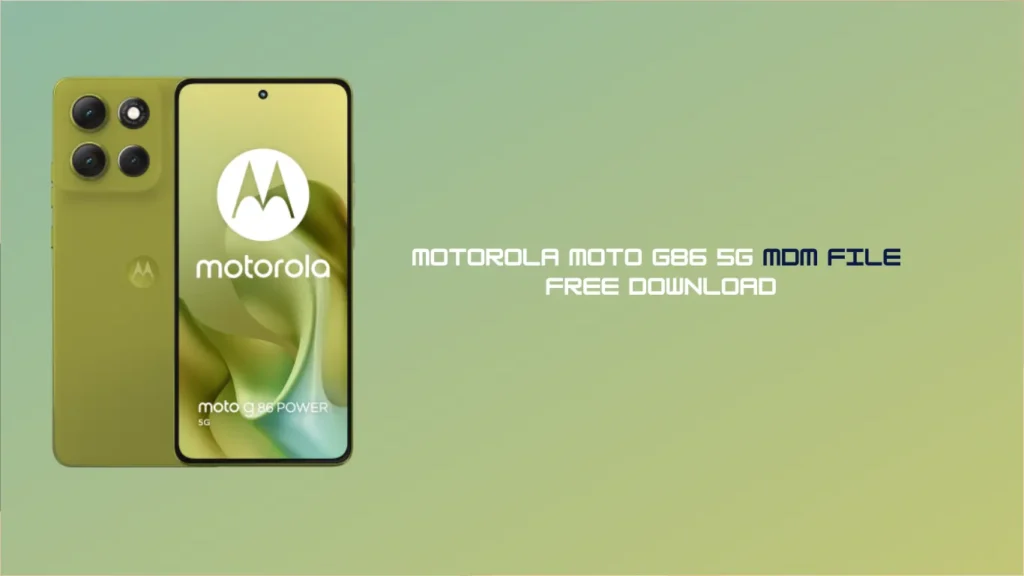
If you have purchased a second-hand Motorola Moto G86 5G or are stuck with a device locked by corporate administration, you are likely facing the “Device Management” restriction. This can prevent you from accessing features or even using the phone entirely.
In this guide, we provide the Moto G86 5G MDM FILE and a step-by-step process to help you bypass the MDM (Mobile Device Management) lock and regain full control of your smartphone.
What is the Moto G86 5G MDM Lock?
Companies or financing providers (like PayJoy or TVS Credit) typically install MDM locks. They use this software to ensure that the user follows their specific terms. When the lock remains active, you cannot factory reset the device easily. Furthermore, the system may block you from using certain apps.
Fortunately, using the specific Moto G86 5G MDM FILE allows you to flash the device. This process effectively removes all administrative restrictions from the hardware.
Download Moto G86 5G MDM File (Tested)
You can find the download link for the necessary files below. We have tested these files to ensure they are fully compatible with the Motorola Moto G86 5G. Additionally, this file supports all current security patch levels.
- File Name: Moto_G86_5G_MDM_Bypass_File.zip
- Android Version: Latest Supported (Android-16)
- Support: All Security Patch Levels
- Tool Required: MTK Meta Tool, Pandora Box, UnlockTool, etc.
Pre-Requisites for MDM Removal
Before you begin the flashing process, you must prepare your workspace. First, ensure your PC has a stable internet connection. Second, charge your Motorola device to at least 50% to avoid any power failures during the bypass. Finally, use a high-quality USB cable to connect the phone to your computer.
How to Remove Moto G86 5G MDM (Step-by-Step)
Follow these steps carefully to ensure a successful bypass. Because this process involves system files, you must follow the order exactly:
- Download and Extract: First, download the Moto G86 5G MDM FILE and extract the folder onto your PC desktop.
- Install Drivers: Next, install the latest Motorola USB Drivers and MTK VCOM drivers. These drivers allow the computer to communicate with your phone.
- Open Flash Tool: Now, launch your preferred service tool, such as UnlockTool or Hydra. Make sure the tool supports the Moto G86 chipset.
- Select Firmware: Load the MDM bypass file into the “Scatter” or “Firmware” section of the tool.
- Connect Device: Turn off your phone completely. Afterwards, hold the Volume Down and Power buttons to enter Fastboot mode (or use the Test Point method if your tool requires it).
- Flash the File: Click on the “Write” or “Flash” button. The tool will now begin the removal process.
- Reboot: Once the tool finishes, your device will reboot automatically. You can now set up your phone without the MDM lock.
FAQ,
Yes. Flashing an MDM removal file involves wiping the device’s partitions. It is highly recommended to back up any important data before starting the process.
Yes, this method usually provides a permanent solution. However, if you perform a hard factory reset or update the software via OTA (Over-the-Air), the lock may reappear depending on the security patch.
Yes. To flash the Moto G86 5G MDM FILE, you will need a Windows PC, a high-quality USB cable, and the appropriate flashing software.
Removing MDM is legal if you own the device and it is no longer under a corporate contract or an unpaid financing agreement. We recommend using this file for educational and repair purposes only.
If your phone gets stuck in a bootloop after flashing, try performing a “Wipe Data/Factory Reset” from the recovery menu. Ensure you are using the correct file version for your specific region.
Discover more: MDM FILE Moto MDM file GSM Mobile Software Unlock Tool Moto MDM Tool
Disclaimer: The use of MDM bypass files is at your own risk. We are not responsible for any software damage or “bricked” devices. Always ensure you are using the correct firmware for your specific model.